How to find Tenant ID in Azure
Last updated: May 8, 2025
Overview
In order to set up Azure SSO for your Yourco account, you will first need to locate your Azure Tenant ID.
Finding Your Azure Tenant ID
Provided you have access to your company's Azure login, please follow these steps in order to locate the ID:
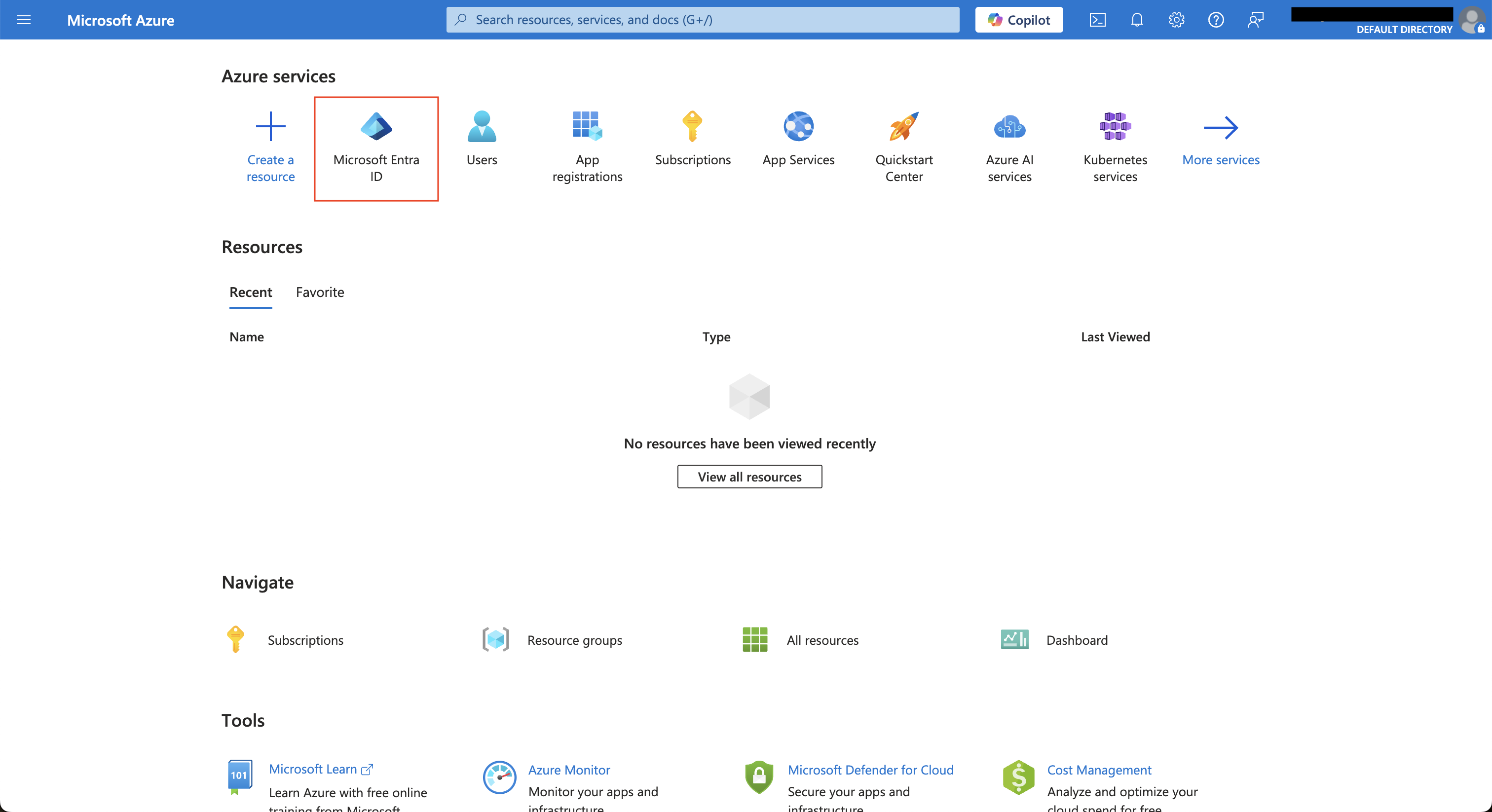
Click into Microsoft Entra ID
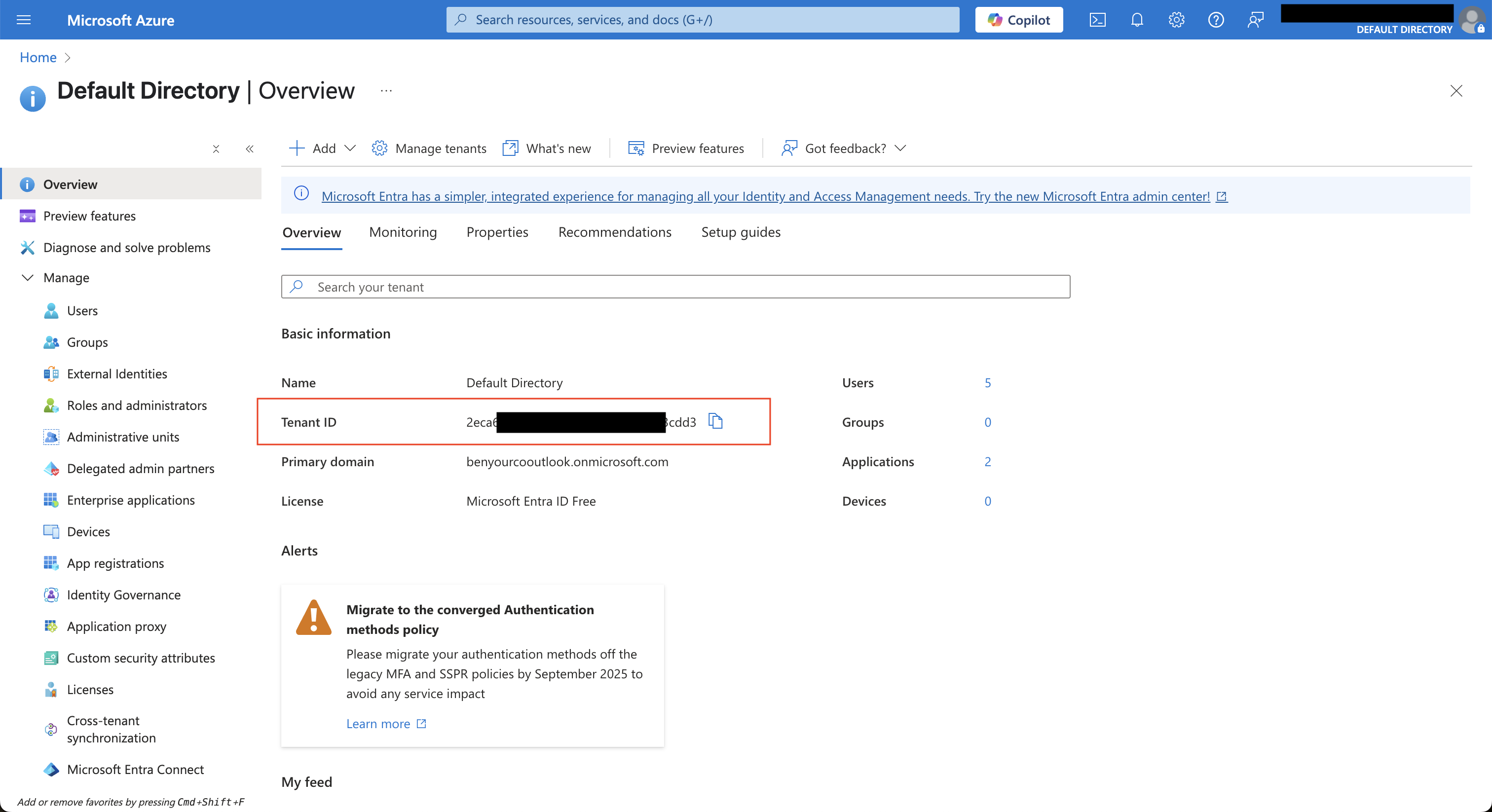
In the Overview tab, copy the Tenant ID
Note: You may need to contact your IT administrator for this information if you do not have access to your company's Azure account.